In this article
Software migration affects performance, security, scalability, compliance and long-term cost. It is also one of the easiest projects to get wrong, leading to downtime, data loss and rework. This guide explains the types of migration, the real risks and a step-by-step approach that keeps the business running.
Key takeaways
- Audit and plan before you move anything; most failures start in planning.
- Always prepare a rollback plan and a tested backup.
- Choose the strategy (phased, parallel or big-bang) based on risk, not speed.
- Measure success with uptime, performance, error rates and adoption.
What software migration means in practice
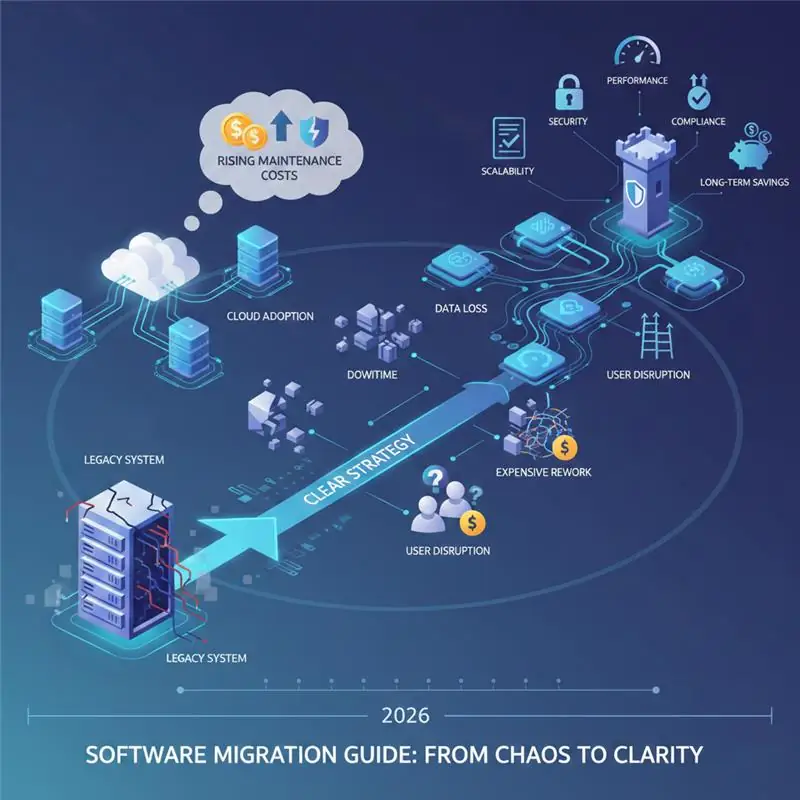
Software migration is moving an application, system or data from one environment to another while keeping functionality, data integrity and user experience intact. It covers legacy modernization, cloud moves, database upgrades, re-architecture and replacing one product with another.
Why migrations are increasing
- Legacy systems cost more to maintain, lack vendor support and carry security risks.
- Cloud adoption brings elastic capacity, high availability and faster releases.
- Security and compliance rules are getting stricter.
- Businesses need to connect systems with analytics, CRM, APIs and automation.
Common types of software migration
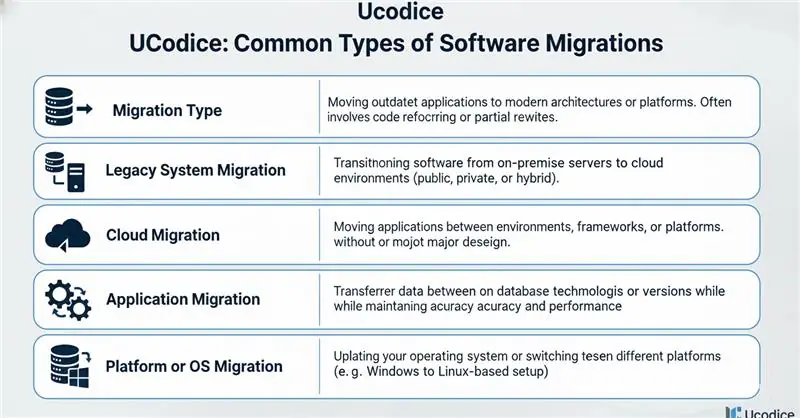
- Legacy system migration to modern technology
- Cloud migration (to AWS, Azure, Google Cloud or others)
- Application migration or re-platforming
- Database migration or upgrade
- Operating system or platform migration
Benefits when it is done right
- Better performance and reliability
- Lower long-term operating cost
- Stronger security
- Room to scale
- Easier integrations and future updates
The real risks
- Data loss or corruption
- Extended downtime
- Compatibility problems
- Hidden dependencies in old systems
- Disruption to users and staff
Most of these are preventable with discovery, testing and a rollback plan.
Plan first: the most important phase
- System audit: list applications, data, integrations and business-critical functions.
- Clear goals: performance, cost, security, scalability or compliance.
- Strategy: phased migration (step by step), parallel run (old and new together) or big-bang (one cut-over). Pick by risk tolerance.
- Risk assessment and rollback: define what triggers a rollback and rehearse it.
A pre-migration checklist
- List every system, database, integration and report that touches the software being moved.
- Name an owner for each one, on the business side and the technical side.
- Decide what must move, what can be archived and what can be retired.
- Record how the current system behaves, so you can compare after the move.
- Agree the success measures: speed, error rates, uptime and user feedback.
- Take a full, tested backup and write down how to restore it.
- Set the date with the business, avoiding peak periods such as month-end or sales seasons.
Data migration in detail
Data is usually the riskiest part of a migration, because mistakes are easy to make and hard to notice. A careful approach has five steps:
- Map: match each field in the old system to its place in the new one.
- Clean: remove duplicates, fix formats and decide what to do with incomplete records.
- Test load: run the migration on a copy of the data and fix what breaks.
- Validate: compare record counts and sample records between old and new, and have business users check key reports.
- Final load: run the migration again at cutover, with the old system frozen so that nothing changes in between.
Keep the old data available and read-only for an agreed period, so that anything missed can be found.
Choosing a cutover strategy
| Strategy | How it works | Suits | Main risk |
|---|---|---|---|
| Big bang | Switch everyone to the new system on one date | Smaller systems and short, planned downtime | A problem affects everyone at once |
| Phased | Move one team, module or region at a time | Larger systems with separable parts | The two systems must work side by side for longer |
| Parallel | Run old and new together for a period and compare results | Systems where accuracy is critical | Double the work during the overlap |
Whichever you choose, write a rollback plan that says who decides to go back to the old system and how quickly it can be done.
Implementation phases
- Environment setup: infrastructure, security and access.
- Data preparation: cleaning, mapping, transforming and trial migrations.
- Application refactoring: updating code for the new environment.
- Testing: functional, performance, security and user acceptance.
- Cut-over: a scheduled switch with monitoring and support ready.
- Post-migration monitoring: health checks, benchmarks and feedback.
Tools such as cloud platforms, replication tools, containers and CI/CD pipelines help, but they do not replace planning.
Testing before go-live
- Functional testing: every important workflow works on the new system.
- Data checks: counts, totals and sample records match.
- Integration testing: connected systems exchange data correctly.
- Performance testing: the system copes with realistic numbers of users and records.
- Security testing: access rights and data protection are in place.
- User acceptance testing: the people who will use it every day try it and sign it off.
Treat user acceptance as a real gate. If the people using the system are not comfortable, the migration is not finished, however clean the technical results look.
How to measure success
- Uptime and availability
- Response time and performance against the baseline
- Error rates and incidents
- User adoption and satisfaction
- Operating cost compared with before
- Fewer security issues
Choosing a migration partner
Ask how they assess risk, what the rollback strategy is, how downtime is handled, how data integrity is validated and what support follows go-live. Red flags are vague timelines, no testing plan, unrealistic guarantees and poor documentation. Our custom software team handles audits, migrations and modernization, and you can book a free consultation.
Common mistakes
- Treating migration as a simple upgrade
- Skipping documentation
- Ignoring user training
- Under-testing
- Putting speed before stability
Migration is not always the answer. If your system is stable, supported and the business risk or unclear return is high, improving it in place may be wiser.
The first 30 days after go-live
- Keep the project team on hand for fast fixes during the first weeks.
- Watch errors, speed and support requests every day at first.
- Collect user feedback and fix small irritations quickly.
- Keep the old system read-only until the business confirms nothing is missing.
- Run a review at the end of the month and record what you learned.
Telling users what is changing
People accept change more easily when they know what is happening and why. Tell users the date, what will change for them, what to do if something goes wrong and who to contact. Short training, a one-page guide and a visible support contact do more for a smooth migration than any technical step. If you are weighing a custom replacement, see our guide on custom software development, or talk to us about your migration.
A simple example of a phased migration
This is an illustrative scenario, not a client project. A company moves its order and invoicing software to a new platform. Rather than switching everything on one day, it moves in three phases:
- Phase 1: customer records and products move first, and staff check them against the old system.
- Phase 2: new orders go through the new platform for one team, while others continue on the old one.
- Phase 3: invoicing and reports move, the old system becomes read-only and, after an agreed period, is retired.
Each phase has its own test, its own sign-off and a rollback plan. A problem in phase 2 affects one team, not the whole company.
When to bring in outside help
A small migration, such as moving a website to new hosting, can often be handled by your own team. Bring in specialists when the data is large, the system is critical to daily operations, several systems are connected or nobody on your team has done a similar move. An experienced partner brings checklists, tested methods and the habit of planning for things going wrong. If you are considering this, talk to us about your system and we can advise on the approach.
Frequently asked questions
What is software migration?
Moving applications, systems or data from one platform or environment to another while keeping stability, security and continuity.
What are the biggest migration risks?
Data loss, downtime, compatibility problems, hidden dependencies and user disruption.
When is the right time to migrate?
When legacy systems block growth, security risk is unacceptable, maintenance cost exceeds value or you need to scale.
How long does a migration take?
It depends on system size, data volume and strategy. Planning and testing usually take as much time as the move itself.
Should I run the old and new systems in parallel?
It is the safest approach for systems where accuracy is critical, because you can compare results, but it doubles the work for a period. Smaller systems often use a planned cutover with a tested rollback plan.