In this article
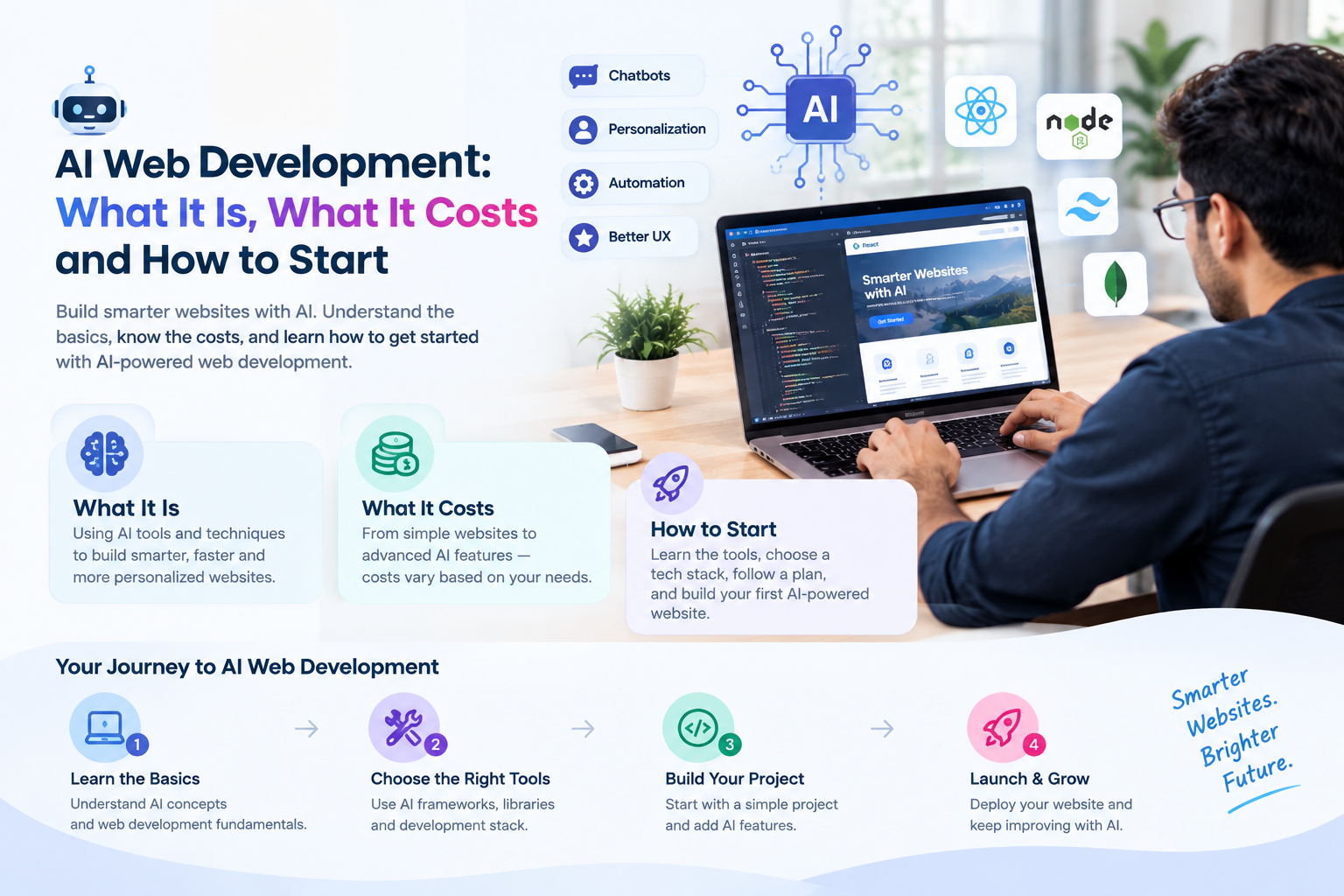
"AI web development" means two different things: using AI tools to build websites faster, and building AI features into a website, such as a chatbot, smart search or recommendations. This guide is about the second one, because that is what changes the experience for your visitors.
Key takeaways
- Start with one AI feature that solves a clear problem, not "AI everywhere".
- Cost depends on the feature, your data and the integrations, not on AI itself.
- Run a small pilot, measure it, then expand.
- Plan for privacy, accuracy checks and human fallback from day one.
What AI can do on a website today
- AI chatbot: answers visitor questions from your own content and passes real leads to your team.
- Smart search: understands what a visitor means, not only the exact words they typed.
- Personalization and recommendations: shows relevant products, articles or services based on behavior.
- Content assistance: drafts product descriptions, summaries and FAQs that your team reviews before publishing.
- Forms and lead scoring: routes enquiries and highlights the ones most likely to convert.
Each of these is a feature added to a normal website or web app. None of them replaces good design, fast pages or clear content.
Where to start: pick one problem
The best first project is a repeated, measurable problem. If your team answers the same ten questions every day, a chatbot trained on your own answers can take much of that load. If visitors cannot find products, smarter search is a better first step. If you have no clear problem yet, do not build an AI feature yet.
- Write down the problem in one sentence.
- Decide how you will measure success, such as fewer support emails or more completed enquiries.
- Check that you have the content or data the feature needs.
- Build a small pilot before a full rollout.
What drives the cost
There is no single price for AI on a website. These are the factors that move it:
- Scope: one chatbot on one site is very different from a personalized experience across a platform.
- Data preparation: your content and data may need cleaning and organizing before AI can use it well.
- Integrations: connecting to your CRM, product catalogue, help desk or payment system takes engineering time.
- Usage fees: most AI services charge by usage, so traffic affects the monthly running cost.
- Security and compliance: handling customer data may need extra controls and review.
- Ongoing improvement: AI features need monitoring and tuning after launch.
A good partner scopes a pilot first and gives you a fixed quote for it. See our related guide on what AI integration costs in India.
Risks to plan for
- Wrong answers: AI can sound confident and be wrong, so limit it to your approved content and test it.
- Privacy: decide what customer data the AI may see, and tell users how it is used.
- Over-automation: always give visitors an easy way to reach a person.
- Vendor lock-in: choose an approach that lets you change the AI provider later.
A closer look at the three most common features
1. The website chatbot
A chatbot is usually the first AI feature a business adds. It reads your website pages, product information and FAQs, then answers visitor questions in plain language. The important design choices are what it is allowed to answer, how it behaves when it does not know and how it passes a conversation to your team. A chatbot that admits "I am not sure, let me connect you with someone" builds more trust than one that guesses.
2. Smart search
Ordinary site search matches the words a visitor types. AI-powered search understands intent, so "laptop for video editing under a certain budget" can return the right products even when those exact words are not on the page. This matters most for stores with large catalogues, knowledge bases and document libraries, where visitors otherwise give up and leave.
3. Recommendations and personalization
Recommendations show visitors items related to what they viewed, bought or read. They need behavioral data to work well, so they suit sites with enough traffic and a catalogue worth browsing. For smaller sites, simple rules, such as "customers also viewed", can deliver much of the value without a complex model.
AI features and SEO
AI features should not hurt how search engines see your site. A chatbot that loads late can slow pages down, so it should load after the main content. Content drafted by AI should be edited by a person, checked for accuracy and written to answer real questions, because thin or generic text does not earn rankings. Used carefully, AI can help with summaries, FAQs and internal search while your core pages stay fast and clear. Our digital marketing team can review how new features affect your search performance.
A real example: how we use AI in our own sales process
We use AI in our own sales process, so we know what a small pilot looks like from the inside. Reviewing each prospect by hand before outreach worked, but it was slow, so we built an AI-assisted workflow that handles the first pass of that research. The team now receives prospects that are already reviewed and ready for a decision. Read the full AI sales assistant case study.
- The problem: a repeated task that took hours of manual work every week.
- The pilot: one task, a small batch and a check of the output before trusting it with more.
- The measure: whether the team spent less time on research and more time talking to people.
- The review: widen the scope only after the small batch works.
Notice what is missing: no rebuild, no promise that AI will solve everything. One feature, one measure and a regular review is what turns a pilot into something that lasts. Some implementation details are intentionally withheld. We share them with clients during a consultation, under NDA where needed.
What your website needs before you add AI
Most AI features connect to a website through APIs, so a rebuild is rarely required. The site does need a few things in good shape first:
- Clear, current content. AI answers are only as good as the pages and documents behind them.
- A stable structure, so the feature can find the right page or product record.
- Reasonable speed. AI features should load after the main content, so they never slow the first view of the page.
- A way to receive leads and conversations, such as a CRM, an inbox or a help desk.
- Analytics, so you can compare results before and after the feature goes live.
If your site is slow, outdated or hard to navigate, fix that first. A website redesign or upgrade usually brings more value than an AI feature placed on top of a weak base.
A simple rollout plan
- Week 1: discovery. Agree the problem, the goal and the content or data available.
- Weeks 2 to 3: build a pilot on a staging copy of your site and test it with your own team.
- Weeks 4 to 5: release to a small share of visitors, watch the results and fix gaps.
- After that: review the numbers with you, then expand, adjust or stop.
Timelines vary with scope, and we agree them in writing before work starts. The point is that you see real results early and can decide with evidence.
How to tell whether the AI feature is working
- Set the baseline before launch: current support emails, enquiry numbers and conversion rate.
- Track resolution: the share of conversations where the visitor got an answer without human help.
- Track quality: review a sample of conversations each week for wrong or unhelpful answers.
- Track business impact: completed enquiries, sales or hours saved for your team.
- Track cost: usage fees and maintenance time, so you can compare them with the benefit.
If the numbers do not improve after a fair trial, change the feature or stop. Stopping a pilot that does not work is a good result, because it costs far less than a full rollout.
Common mistakes with AI on websites
- Starting with the tool instead of the problem.
- Letting the AI answer from the whole internet instead of your approved content.
- Hiding the way to reach a person.
- Skipping weekly review after launch, so errors stay in place.
- Treating AI-written page content as finished without a person checking it.
To see how these features compare with ordinary software, read our guide on AI vs traditional software development, or go deeper on chatbots in our AI chatbot guide.
How Ucodice approaches AI web development
We start with a free consultation, agree one feature and a measurable goal, build a pilot on your existing website or web app, and review the results with you before expanding. Our AI web development page and AI development services page list the kinds of features we build.
Frequently asked questions
What is AI web development?
It means adding AI features, such as chatbots, smart search and recommendations, to a website or web app, and also the use of AI tools to speed up development work.
Can you add AI to my existing website?
Usually yes. Most AI features connect to an existing site through APIs, so you do not need to rebuild it. We review your site first to confirm.
How long does it take to add an AI feature?
A focused pilot, such as a chatbot trained on your content, often takes a few weeks. Larger, integrated features take longer. We agree a timeline before work starts.
Is AI on a website safe for customer data?
It can be, with the right controls. We decide with you what data the AI can access, protect it in transit and at rest, and avoid sending sensitive data to services that should not see it.
Do I need a lot of data to start?
Not always. A chatbot can start from your existing website content, FAQs and documents. Features like recommendations need more behavioral data to work well.