In this article
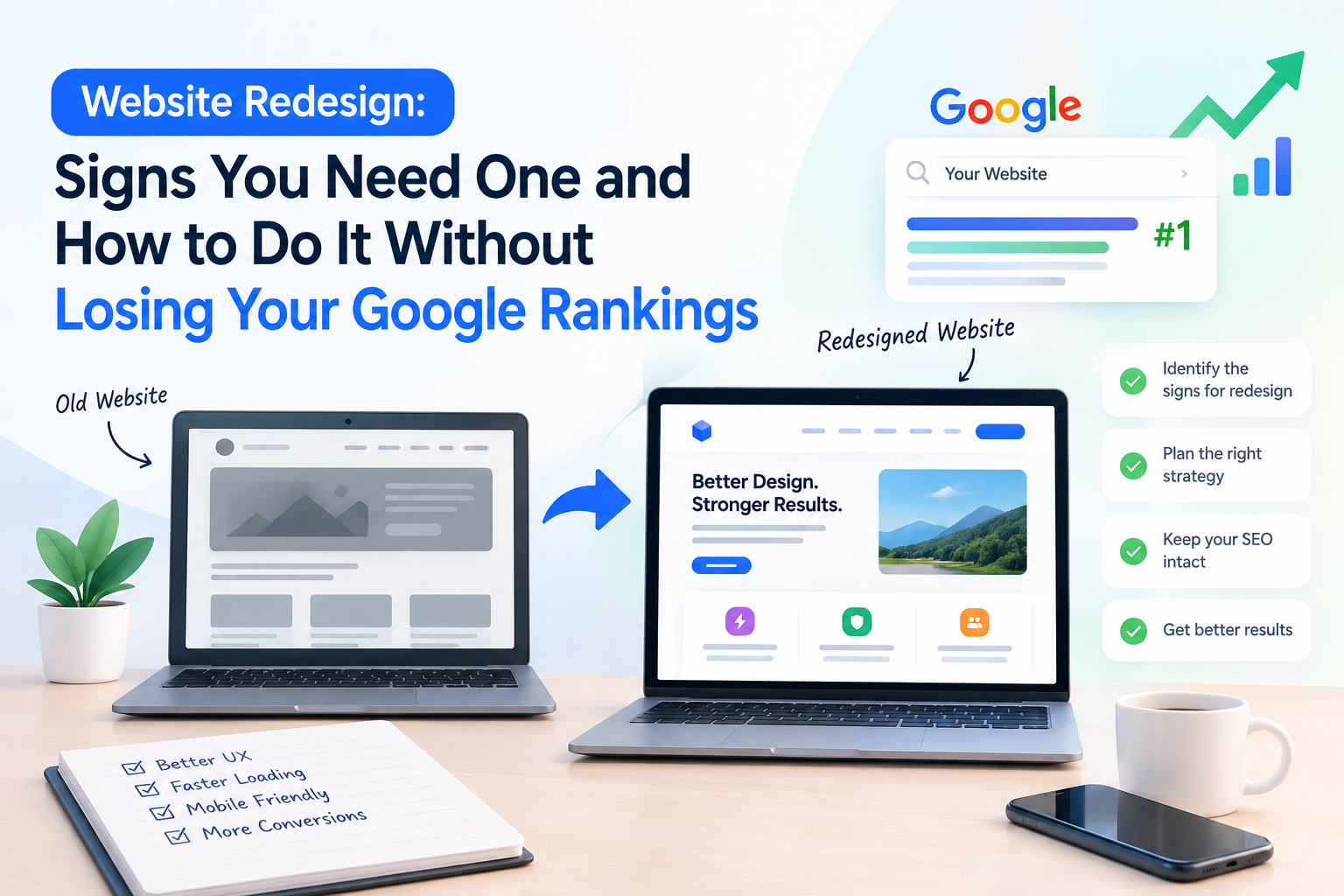
A website redesign can bring in more enquiries. Done badly, it can also wipe out years of search traffic in a week. The difference is rarely the design itself. It is what happens to your URLs, your content and your tracking while the new site is being built.
This guide is for business owners deciding whether to redesign, and what to ask their web team before work starts.
Key takeaways
- Redesign only when the structure or foundation is the problem; a refresh is cheaper when the content and structure work.
- Keep URLs the same where you can, and set a 301 redirect from every old URL that has to change.
- Protect pages that already rank: their headings, key text, titles and descriptions.
- Set up analytics and conversion tracking on the new site from day one, and record a baseline before you start.
Signs it is time to redesign
Not every problem needs a rebuild. Redesign when several of these are true:
- The site looks and feels dated. Visitors judge a business in seconds, and an old layout makes a good company look unreliable.
- It is hard to use on a phone. If buttons are tiny, text needs zooming or forms are painful, you are losing mobile visitors, who are likely most of your traffic.
- It is slow. Heavy images, old plugins and outdated code add up. Slow pages lose visitors before they read anything.
- You cannot update it yourself. If changing a phone number or adding a page needs a developer every time, your content will go stale.
- It does not match what you sell today. Many sites still describe the business as it was years ago.
- It does not generate enquiries. Traffic that never turns into calls or form fills usually points to unclear messaging or a weak call to action.
- The technology is end-of-life. Unsupported software is a security risk and increasingly hard to maintain.
Redesign or fix what you have?
Ask which problem you are actually solving.
| Problem | Often fixed by |
|---|---|
| Slow pages | Image and code optimization, better hosting |
| Weak enquiries | Clearer headlines, stronger calls to action, a better contact flow |
| Outdated look only | A visual refresh on the existing structure |
| Hard to manage, broken structure, old technology | A full redesign or rebuild |
If the structure and content work but the look does not, a refresh is cheaper and safer. If the foundation is the problem, a rebuild is worth it.
What to protect before you touch anything
Most ranking losses after a redesign come from the same few mistakes. Protect these first.
1. Your URLs
Search engines have learned your page addresses. If `/services/web-design` becomes `/our-work/websites`, Google treats it as a new page and the old rankings do not carry over automatically. Keep URLs the same wherever you can.
2. 301 redirects for every URL that changes
When a URL has to change, set a permanent (301) redirect from the old address to the closest matching new page. This passes most of the old page's value to the new one. Redirect each page to its closest equivalent, not everything to the homepage.
3. The pages and content that already rank
Before redesigning, list your pages that bring organic traffic and enquiries. Keep their main headings, key text and internal links. Shortening or rewriting a page that ranks well can lose the exact terms people were finding it for.
4. Titles, descriptions and headings
Carry over page titles and meta descriptions, and keep one clear H1 per page. A new design often resets these to defaults without anyone noticing.
5. Speed and mobile performance
A new site that looks better but loads slower can rank worse. Test performance on a real phone before launch.
6. Tracking
Make sure analytics, Search Console and conversion tracking (calls, form submissions) are on the new site from day one. Without them you cannot tell whether the redesign worked.
A safe redesign process
- Audit the current site. Record traffic, top pages, current rankings and what enquiries come from where. This is your baseline.
- Decide the goal. More enquiries, better mobile experience, easier updates? A goal keeps design decisions honest.
- Map old URLs to new ones. A simple spreadsheet with old URL, new URL and redirect type prevents most problems.
- Design and build on a staging copy. Keep it hidden from search engines until it is ready.
- Test before launch. Check redirects, forms, mobile layout, speed, titles and tracking.
- Launch at a quiet time. Avoid your busiest season in case something needs fixing.
- Watch closely for the first weeks. Submit the new sitemap, check Search Console for errors and compare traffic against your baseline.
Mistakes we see most often
- Launching without redirects. The single biggest cause of traffic drops.
- Leaving the staging block on. A "do not index" setting that is never removed keeps the new site out of Google.
- Deleting blog posts and service pages that rank because they do not fit the new design.
- Redesigning for looks only, with no plan for how the site will get enquiries.
- No baseline. Without before-and-after numbers, nobody can say if the redesign helped.
Questions to ask your web team
- How will you handle URL changes and redirects?
- Will you keep the content and headings of pages that already rank?
- Will the new site be hidden from search engines while you build it, and who removes that at launch?
- How will you test speed and mobile layout?
- Who sets up tracking, and how will I see results?
- What do I get after launch if something breaks?
A good team answers these plainly and shows you the plan in writing.
A simple redirect map
A redirect map is a plain table that lists every old URL and where it should go. It is the most useful single document in a redesign. A short example:
| Old URL | New URL | Action |
|---|---|---|
| /services/web-design | /web-design-services | 301 redirect |
| /about-us | /about | 301 redirect |
| /blog/old-post | /blog/old-post | No change |
| /old-offer-page | /services | 301 to closest page |
Go through your site in Search Console and your analytics, list every page that gets visits or links, and give each one a row. Pages with no traffic and no links can be redirected to the closest relevant page or retired, but do it deliberately rather than by accident.
How to tell whether the redesign worked
Compare the same measures before and after, over the same length of time:
- Organic traffic from search engines
- Enquiries, calls and form submissions
- Rankings for your most important search terms
- Page speed on mobile
- Pages reported with errors in Search Console
A small dip in the first few weeks can happen while search engines re-crawl the new pages. A steady drop that continues usually points to a fixable cause, such as missing redirects, changed headings or pages blocked from indexing. Check these first, because they are easy to correct once found.
How Ucodice approaches redesigns
We build and market websites under one roof, so the people designing your new site also care how it will rank. We start with an audit, agree the goal and the URL plan, then build and test before anything goes live. If you are weighing a redesign, talk to us about your website and we will tell you honestly whether you need a rebuild or a smaller fix.
You may also find our guides on website development cost in India and WordPress vs custom development useful.
Frequently asked questions
How long does it take to recover if rankings drop after a redesign?
It depends on the cause. If redirects or indexing settings were missed, fixing them quickly usually limits the damage. Watch Search Console in the first weeks and compare against your baseline.
Should I redesign or just fix my current website?
If the main problems are speed, weak calls to action or an outdated look, a targeted fix or refresh is often enough. If the structure, technology or content management is the problem, a redesign is usually worth it.
Do I need 301 redirects if I only change the design?
Only if URLs change. If every page keeps the same address, no redirects are needed. If any URL changes, redirect it to the closest matching new page.
Will a new design improve my Google rankings by itself?
Not by itself. Design can help with speed, mobile use and conversions, but rankings depend on content, technical health and links. Protect what already ranks.