In this article
Most businesses can launch a website. What they struggle with is keeping it updated, fast, secure and growing. A well-built content management system (CMS) lets your team do that without waiting on developers. This guide explains CMS web development services, platforms and how to choose.
Key takeaways
- A CMS lets non-technical teams publish and update content without code.
- WordPress suits most business sites; Drupal and headless CMS suit complex or enterprise needs.
- Choose CMS when content changes often, custom development when workflows are unique.
- Most CMS problems come from poor planning, heavy themes and no maintenance, not from the platform.
What are CMS web development services?
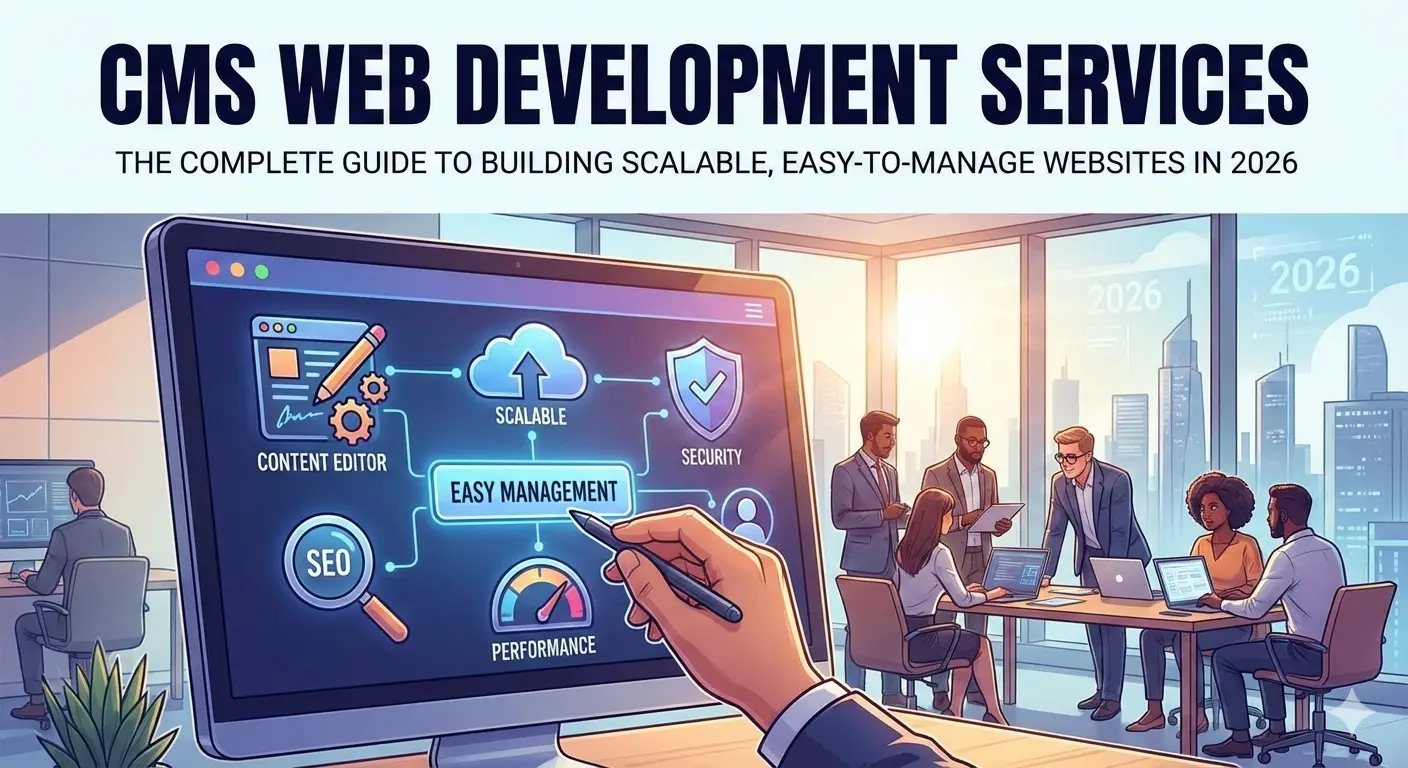
CMS development means building a website on a content management system so non-technical users can create, edit and organize content themselves. Marketing teams can publish pages, edit landing pages, manage blogs and products and run campaigns without code changes or developer tickets.
Why businesses choose CMS-based websites
- Faster updates: campaign and content changes go live in minutes.
- Lower long-term cost: your team handles routine edits, developers focus on improvements.
- Scalable for content: blogs, media, documentation, catalogues and multilingual sites.
- Built-in SEO controls: clean URLs, metadata, structure and performance plugins.
Types of CMS development services
- Custom CMS website development: tailored design, templates and workflows.
- Theme and template customization: better UX, custom sections and brand consistency.
- Plugin and extension development: custom features, API connections and automation.
- CMS migration: moving from an old platform while preserving URLs and SEO.
- Maintenance and support: security updates, performance tuning and bug fixes.
Popular CMS platforms compared
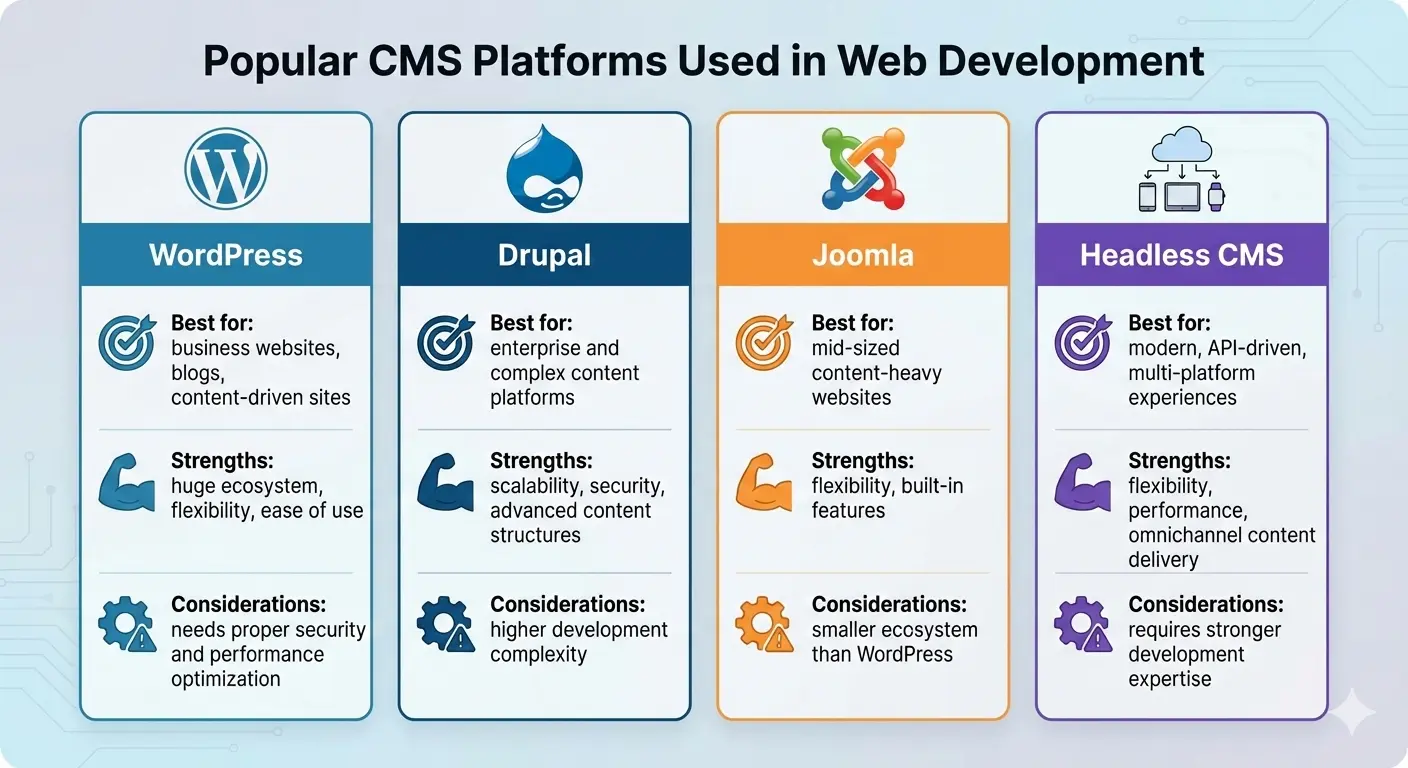
WordPress
Best for business sites, blogs and many ecommerce stores. It has a huge ecosystem and flexibility, but needs good hosting, security and a lean theme to stay fast.
Drupal
Strong for complex, enterprise and multi-role platforms where security and structure matter. It takes more development effort.
Joomla
Suited to mid-sized content-rich sites that want built-in features and flexibility.
Headless CMS (Strapi, Contentful and similar)
Best when you deliver content to a website, an app and other channels through APIs. It offers more freedom and performance but needs stronger engineering.
CMS or custom-built website?
Choose a CMS when
- Your team updates content often
- Content management is the core need
- You want to launch quickly
- You want a balance of flexibility and ease
Choose custom development when
- The product is highly unique or complex
- Content is not the main purpose
- You need specific workflows or business logic
- Performance needs exceed what a typical CMS handles
Often the best answer is a hybrid: a CMS for content with custom-built features around it. Our web development team builds both, and we have a dedicated approach for startup websites.
Plan your content structure first
A CMS is only as easy to use as the structure behind it. Before design, decide what kinds of content you will publish and what each one needs, such as a service page, a case study, a team member or a blog post.
- List each content type and the fields it needs: title, summary, image, body, category and so on.
- Decide how pages relate: categories, tags and related items.
- Decide who writes, who approves and who publishes.
- Plan the menu and URL structure so that new content has an obvious home.
Time spent here saves a great deal of rework, because changing a content structure after hundreds of pages exist is painful.
Editing roles and workflow
Not everyone needs full access. A good CMS set-up gives each person only what they need:
- Editors who write and update content.
- Reviewers who approve before publishing.
- Administrators who manage users, plugins and settings.
Add an approval step for important pages, keep a revision history so mistakes can be undone and use two-step login for anyone with admin access.
The CMS development process
- Discovery and planning: goals, content structure, platform choice and integrations.
- Design and UX: navigation, responsive layouts and brand-aligned interface.
- Development: CMS setup, custom front end, plugins and security.
- Content migration: moving content, setting permissions, workflows and SEO redirects.
- Testing, launch and optimization: functional, performance and security checks, then ongoing improvement.
How to choose a CMS development partner

- Check real CMS experience and ask for similar projects.
- Ask how they handle performance, security and backups.
- Make sure they understand SEO: clean URLs, metadata, structure and fast loading.
- Do not choose on price alone. Cheap builds often use bloated themes, skip optimization and are hard to maintain.
Security and performance checklist
- Keep the core, themes and plugins updated, and remove the ones you do not use.
- Choose plugins and extensions that are actively maintained.
- Use strong passwords, two-step login and limited admin accounts.
- Back up regularly and test that a backup can be restored.
- Use caching, compressed images and a reliable host to keep pages fast.
- Monitor uptime and errors so that problems are found before visitors find them.
Setting up SEO inside a CMS
- Editable page titles and descriptions for every page.
- Clean, readable URLs with no unnecessary parameters.
- An XML sitemap that updates automatically.
- Control over redirects, so changes never create dead links.
- Structured data for articles, products or local businesses where relevant.
- Fast templates that work well on a phone.
Ask your developer to show you where each of these is edited. If it needs a developer for every change, the CMS is not doing its job.
Moving from one CMS to another
Changing platform is common as a business grows. Protect your search visibility by listing every existing URL, mapping each to its new address, setting up permanent redirects and checking titles, descriptions and internal links after the move. Our guide on WordPress vs custom development explains when a move makes sense, and our website cost guide shows what shapes the budget.
Cost of CMS web development
Pricing depends on the platform, design complexity, custom features, content migration, performance requirements and support level. Two projects on the same platform can differ greatly in cost because of scope and quality. Ask for a fixed quote with clear deliverables.
Common CMS mistakes
- Choosing a platform only because it is popular
- Using heavy themes with no optimization
- Skipping security updates and backups
- Not planning content structure
- Underestimating maintenance
Most problems trace back to planning, not the platform. Want a fast, easy-to-manage site? Tell us about your project.
What to hand over at launch
- Admin logins in your name, with the developer listed as a separate user.
- A short guide to adding and editing the main content types.
- A list of plugins and extensions in use, with their licence details.
- Hosting and domain details, and when each renews.
- Backup arrangements and how to restore a backup.
- The support arrangement and how to request changes.
A good handover means your team can run the site day to day without calling the developer for every small change.
Questions to ask a CMS developer
- Which CMS do you recommend for us, and why that one?
- How will editors add and change content, and can you show me?
- Who will keep the platform and plugins updated, and how often?
- What does a typical month of maintenance include and cost?
- How would we move away from this CMS later if we needed to?
A good developer chooses the platform for your needs, not for their own convenience, and is happy to explain the trade-offs. Read our guide on WordPress vs custom development for the wider comparison.
Frequently asked questions
What are CMS web development services?
Services that build websites on a content management system so non-technical users can manage content on their own.
Which CMS is best for a business website?
WordPress suits most business sites. Drupal or a headless CMS may suit complex, enterprise or multi-channel projects. The right choice depends on goals and growth plans.
Is a CMS better than a custom website?
A CMS is better when content updates are frequent. Custom development is better for unique systems. Many projects use both.
Do CMS websites need maintenance?
Yes. Regular updates, security patches, backups and performance tuning keep the site fast and safe.
How do I move my website to a new CMS without losing rankings?
List all current URLs, map each to its new address, set up permanent 301 redirects, keep titles and descriptions, and check the site in Search Console after launch.